> For the complete documentation index, see [llms.txt](https://docs.patchmypc.com/llms.txt). Markdown versions of documentation pages are available by appending `.md` to page URLs; this page is available as [Markdown](https://docs.patchmypc.com/patch-my-pc-publisher/manage/wsus-updates-tab/wsus-options/products.md).
# Products section of Patch My PC Publisher
*Applies to: Patch My PC Publisher V3.x*
The **PRODUCTS** section on the **WSUS Options** tab of Patch My PC (PMPC) Publisher manages the **Patch My PC** update category in Microsoft Configuration Manager (ConfigMgr). This category must be enabled for third-party updates published by PMPC to be synchronized by the Software Update Point (SUP).
## Selected in ConfigMgr
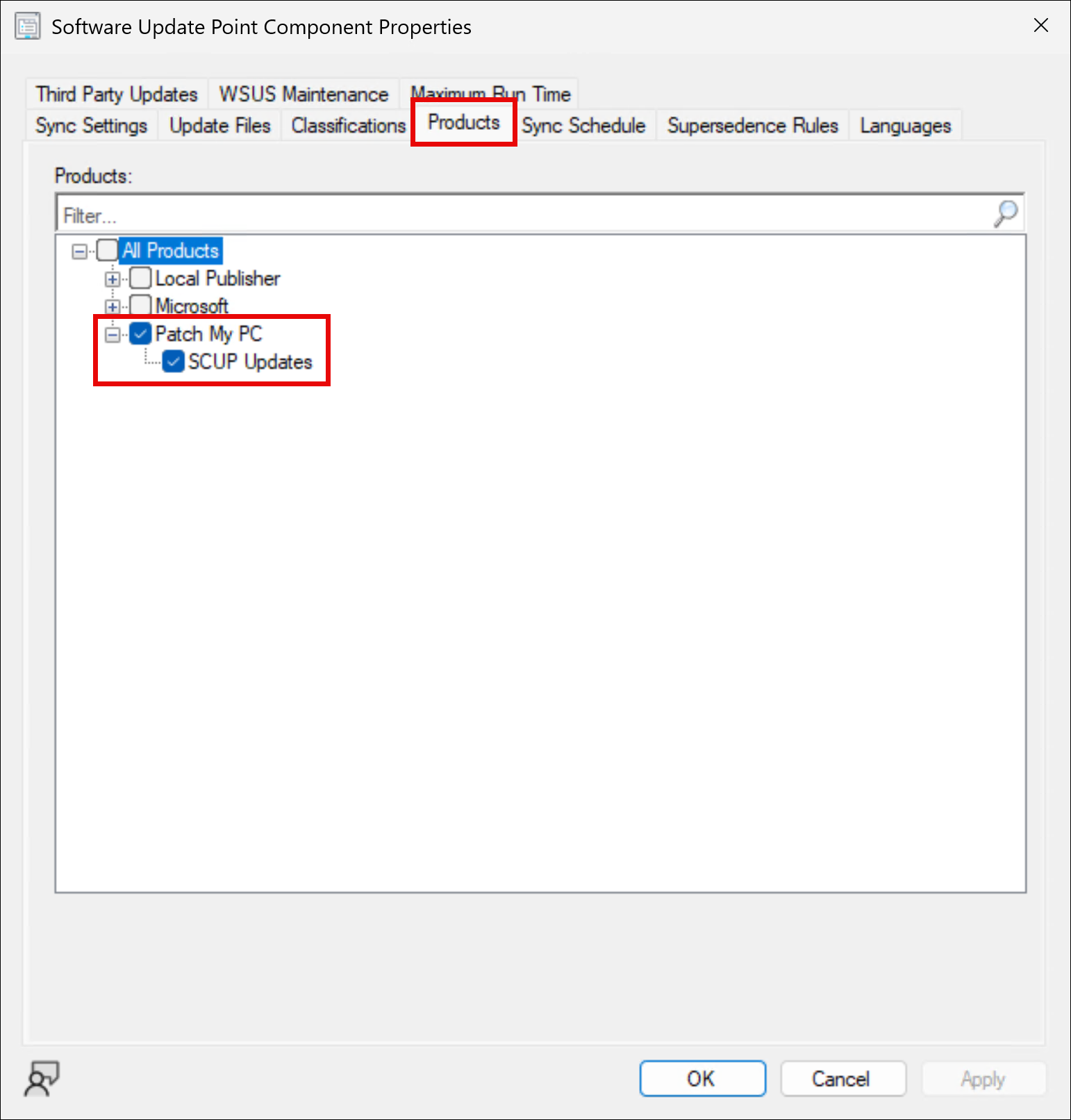
Checking the **Selected in ConfigMgr** checkbox (or leaving it selected if it is already checked) ensures that the corresponding **Patch My PC** product category is also selected in the **ConfigMgr Console** under:
**Administration | Site Configuration | Sites | *****\***** | Settings | Configure Site Components | Software Update Point | Products**.
This guarantees that PMPC third-party updates are evaluated during a SUP sync.
{% hint style="danger" %}
**Important**
In some environments, you may see two **Patch My PC** product categories. This most commonly occurs after an operating system upgrade (for example, Windows Server 2012 to 2019), where Microsoft changed how update categories are hashed.
When this happens, the existing Patch My PC category is effectively re-hashed, causing ConfigMgr to detect it as a new category. As a result, both categories may appear with the same display name.
In this scenario, enable both **Patch My PC** categories in Publisher and under **Software Update Point Component Properties | Products**. This ensures that all PMPC updates continue to synchronize correctly, regardless of which category ID they are associated with.
{% endhint %}
## Selected in WSUS
Checking the **Selected in WSUS** checkbox (or leaving it selected if it is already checked) ensures that the corresponding **Patch My PC** product category is also selected in the **WSUS Console** under **Products and Classifications**.
## When does the Patch My PC category become visible?
Once Publisher is installed, the **Patch My PC** product category is not visible in ConfigMgr immediately. It typically becomes available only after:
1. The first PMPC update is published to WSUS.
2. A SUP synchronization occurs.
3. ConfigMgr discovers the new third-party update category.
## Faster onboarding when Publisher is on the Site Server
If Publisher is installed on the ConfigMgr Site Server, you can evaluate the SUP component product categories immediately without waiting for or initiating a SUP sync.
To achieve this:
* Restart the WCM (WSUS Configuration Manager) component from Publisher.
{% hint style="info" %}
**Note**
See [ConfigMgr Component Management](/patch-my-pc-publisher/manage/wsus-updates-tab/wsus-options/configmgr-component-management.md) section for more information.
{% endhint %}
* This forces ConfigMgr to immediately re-evaluate WSUS categories.
* The **Patch My PC** category becomes visible straight away
## Logging
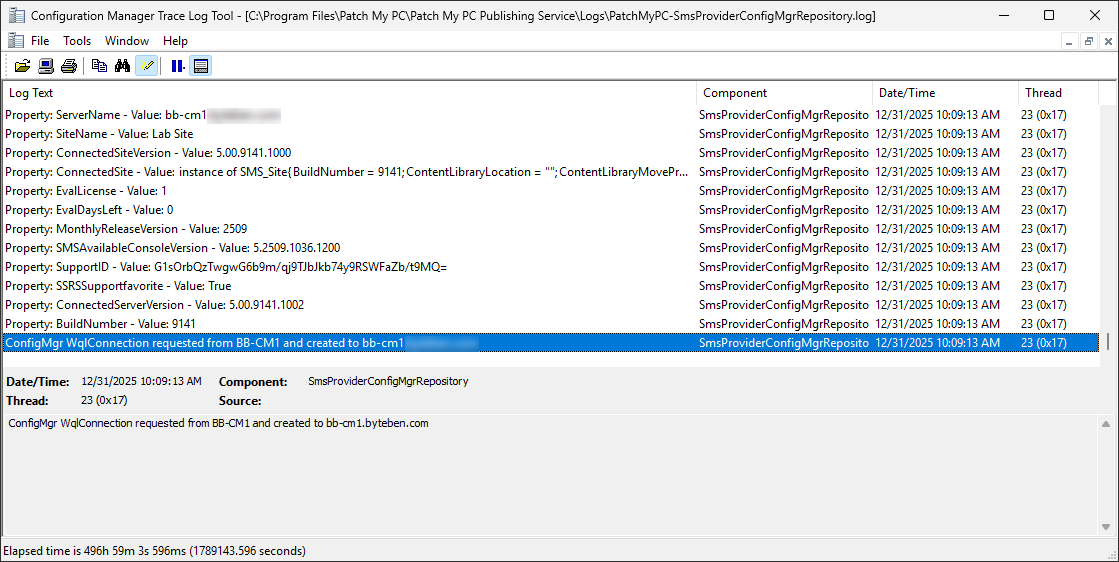
PMPC product information is obtained from the SUP component properties in ConfigMgr, and the result of toggling the checkbox is recorded in the **PatchMyPC-SmsProviderConfigMgrRepository.log** located at:
***%ProgramFiles%*****\Patch My PC\Patch My PC Publishing Service\Logs**
---
# Agent Instructions
This documentation is published with GitBook. GitBook is the documentation platform designed so that both humans and AI agents can read, navigate, and reason over technical content effectively. Learn more at gitbook.com.
## Querying This Documentation
If you need additional information that is not directly available in this page, you can query the documentation by asking a question.
Perform an HTTP GET request on the following URL with the `ask` and `goal` query parameters:
```
GET https://docs.patchmypc.com/patch-my-pc-publisher/manage/wsus-updates-tab/wsus-options/products.md?ask=&goal=
```
`ask` is the immediate question: it should be specific, self-contained, and written in natural language.
`goal` is what the user is ultimately trying to achieve, the reason they need the answer. Sharing it helps GitBook give you a better, more relevant answer. A goal is most helpful when it describes the outcome the user wants rather than restating the question. For example, with `ask=how do I create an API token`, a goal like `automate deployments from our CI pipeline` lets GitBook tailor the answer to that use case.
The response will contain a direct answer to the question and relevant excerpts and sources from the documentation.
Use this mechanism when the answer is not explicitly present in the current page, you need clarification or additional context, or you want to retrieve related documentation sections.