> For the complete documentation index, see [llms.txt](https://docs.patchmypc.com/llms.txt). Markdown versions of documentation pages are available by appending `.md` to page URLs; this page is available as [Markdown](https://docs.patchmypc.com/patch-my-pc-cloud/migration/refresh-migration-data.md).
# Refresh ConfigMgr to Intune App Migration Data in Patch My PC Cloud
*Applies to: Patch My PC Cloud*
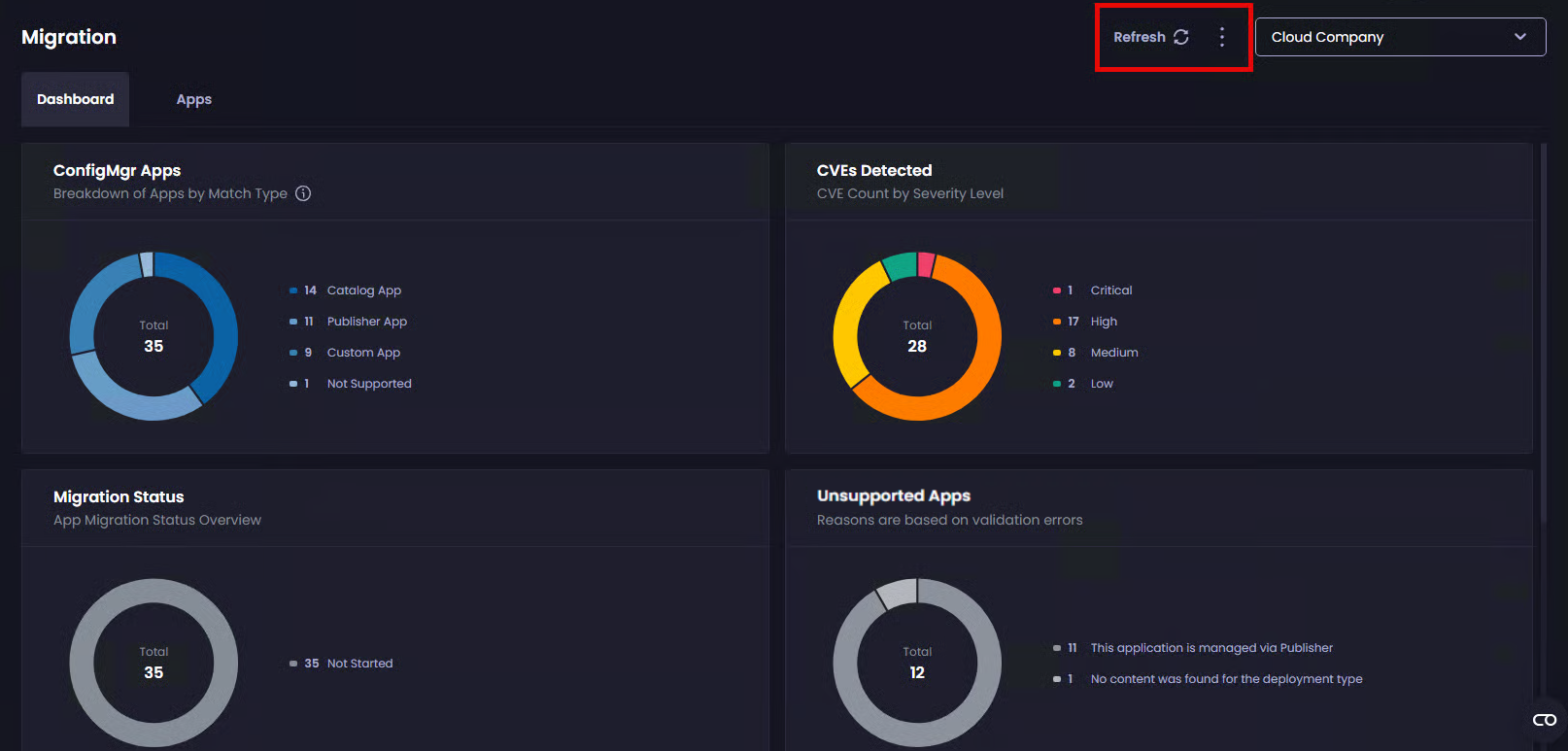
The Patch My PC (PMPC) Cloud Migration dashboard includes the following options:
* [Refresh](#refresh)
* [Full Resync](#full-resync)
{% hint style="info" %}
**Note**
See the [Troubleshooting ](#troubleshooting)section below for troubleshooting tips.
{% endhint %}
## Refresh
The **Refresh** option is available directly from the dashboard toolbar.
Clicking **Refresh** triggers an immediate delta sync from Publisher to PMPC Cloud, bypassing the normal scheduled sync interval configured in Publisher (60 minutes by default). This is useful when new applications or recent changes are available in Publisher, and you want them reflected in Cloud as soon as possible.
A refresh only processes incremental changes and does not rebuild existing migration metadata.
## Full Resync
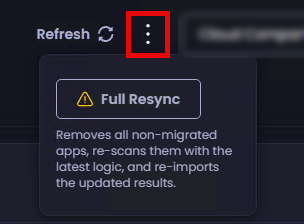
The **Full Resync** option is accessed by clicking the ellipsis beside the **Refresh** option.
Clicking **Full Resync** clears all migration metadata in both Cloud and the Publisher, then rebuilds it from scratch using the latest migration logic in PMPC Cloud. Non-migrated applications are removed and reimported, while migrated applications remain unchanged.
This option is intended for scenarios where migration metadata is missing, incomplete, or corrupted, such as missing file access or invalid values like a file size of zero, and where the issue cannot be resolved through normal application revision updates.
Because a full resync re-evaluates all applications, the process may take some time and cannot be cancelled midway through.
## Troubleshooting
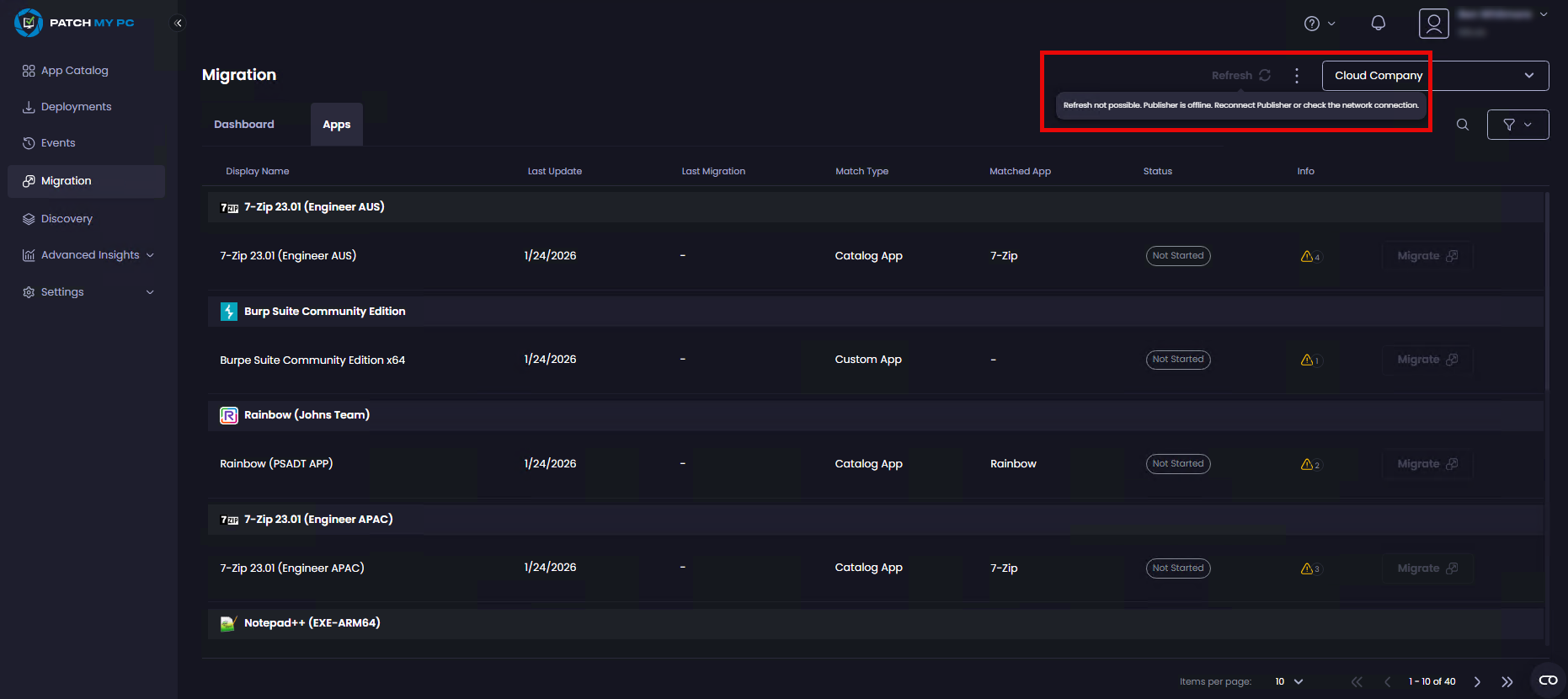
If the **Refresh** or **Full Resync** options are unavailable, it means PMPC Cloud has lost connectivity to the Publisher.
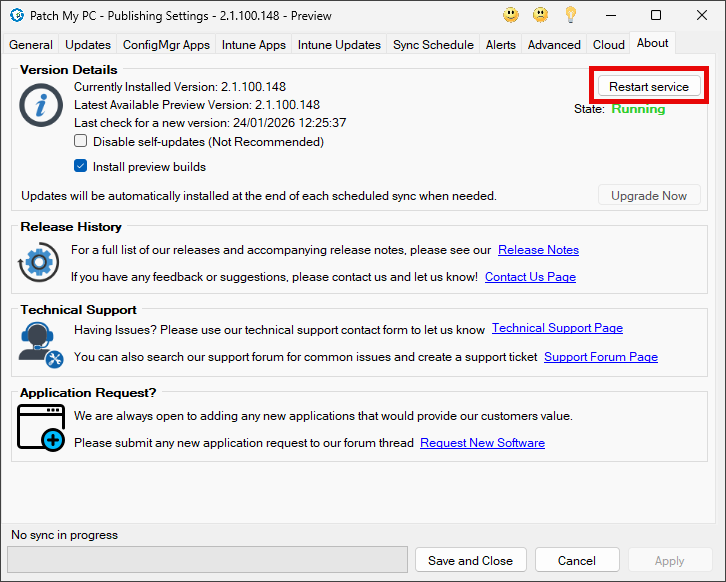
To restore the connection, open the Publisher console, go to the **About** tab, and select **Restart Service**, which will re-establish communication with your PMPC Cloud company.
---
# Agent Instructions
This documentation is published with GitBook. GitBook is the documentation platform designed so that both humans and AI agents can read, navigate, and reason over technical content effectively. Learn more at gitbook.com.
## Querying This Documentation
If you need additional information that is not directly available in this page, you can query the documentation by asking a question.
Perform an HTTP GET request on the following URL with the `ask` and `goal` query parameters:
```
GET https://docs.patchmypc.com/patch-my-pc-cloud/migration/refresh-migration-data.md?ask=&goal=
```
`ask` is the immediate question: it should be specific, self-contained, and written in natural language.
`goal` is what the user is ultimately trying to achieve, the reason they need the answer. Sharing it helps GitBook give you a better, more relevant answer. A goal is most helpful when it describes the outcome the user wants rather than restating the question. For example, with `ask=how do I create an API token`, a goal like `automate deployments from our CI pipeline` lets GitBook tailor the answer to that use case.
The response will contain a direct answer to the question and relevant excerpts and sources from the documentation.
Use this mechanism when the answer is not explicitly present in the current page, you need clarification or additional context, or you want to retrieve related documentation sections.