> For the complete documentation index, see [llms.txt](https://docs.patchmypc.com/llms.txt). Markdown versions of documentation pages are available by appending `.md` to page URLs; this page is available as [Markdown](https://docs.patchmypc.com/patch-my-pc-cloud/deployments/update-rings/new-versions.md).
# How Patch My PC Cloud Update Rings Handle New Versions
*Applies to: Patch My PC Cloud*
Let’s assume you want to deploy an app in a controlled manner using Patch My PC (PMPC) Cloud.
First, you want to deploy the software to a pilot group containing a few users who want to test the software.
Then, a couple of days later, once you are happy the app functions correctly, you want to deploy it to a different group containing more users.
You could:
1. Create a single deployment targeted to the pilot users group.
2. Two days later, either:
1. Modify the deployment targeted to the pilot users group to add the other group containing more users.
2. Create a new deployment targeted to the other group containing more users.
This approach is admin intensive and relies on the admin remembering to create the deployment two days later to ensure the other group containing more users gets the app.
Alternatively, you can create a single deployment and enable Update Rings with:
* One ring assigned to the pilot users group.
* A separate ring assigned to the other group containing more users, but with a two-day delay to allow the pilot users to perform testing.
How Update Rings behave depends on which Update ring Start Time you chose at the time of creating the rings:
* [Delayed](#how-delayed-update-rings-handle-new-versions)
* [Immediate](#how-immediate-update-rings-handle-new-versions)
## How Delayed Update Rings Handle New Versions
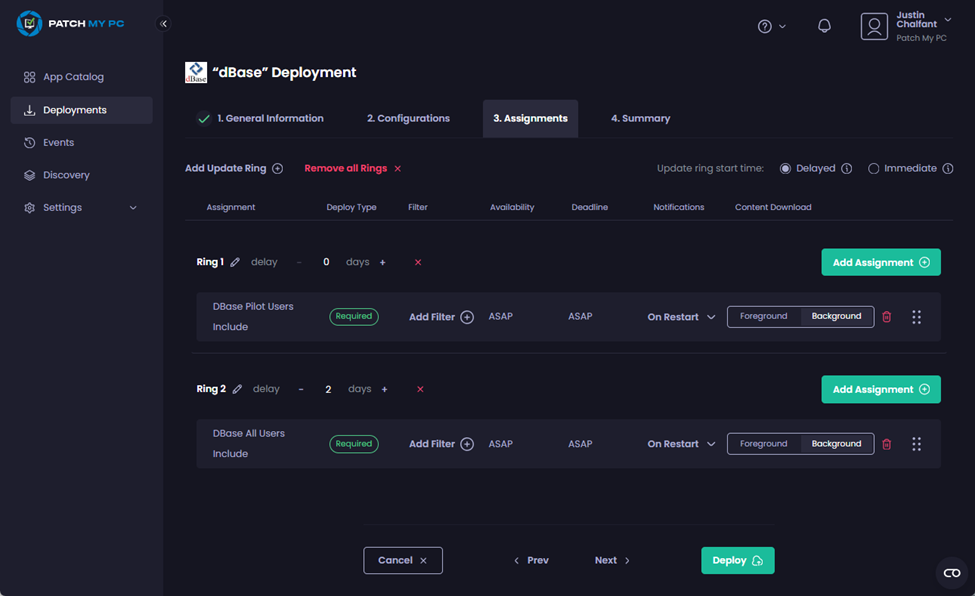
For this example, we will assume you want to deploy version 2019.1 of dBase:
* Initially to the **dBase Pilot Users** group.
* Two days later, you want to deploy the software to the **dBase All Users** group.
This is how you would configure this deployment in the PMPC Cloud portal to use **Delayed** update Rings.
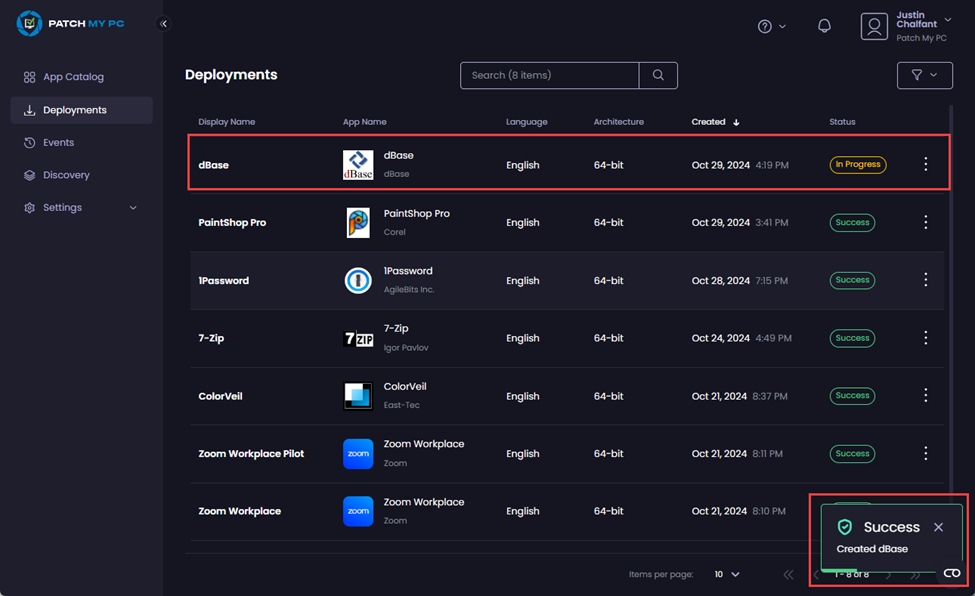
In this scenario, when you deploy the app the **Deployments** node is displayed along with the **Success – Created <*****app\_name*****>** notification.
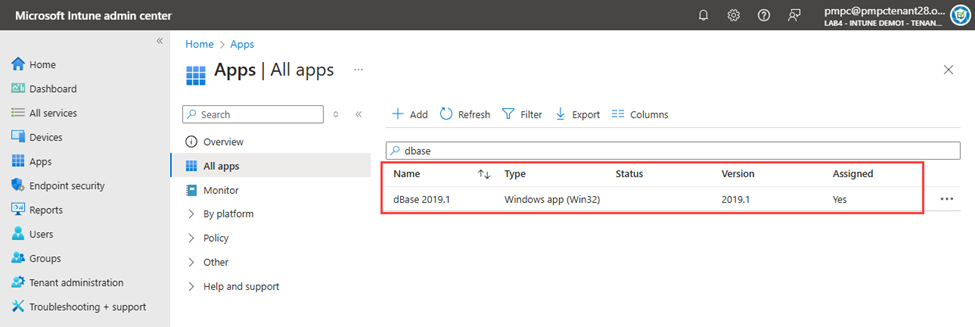
Once the deployment has been completed successfully, if you look in the Microsoft Intune admin center under **All apps** and search for the app, you will see that version **2019.1** has been successfully deployed.
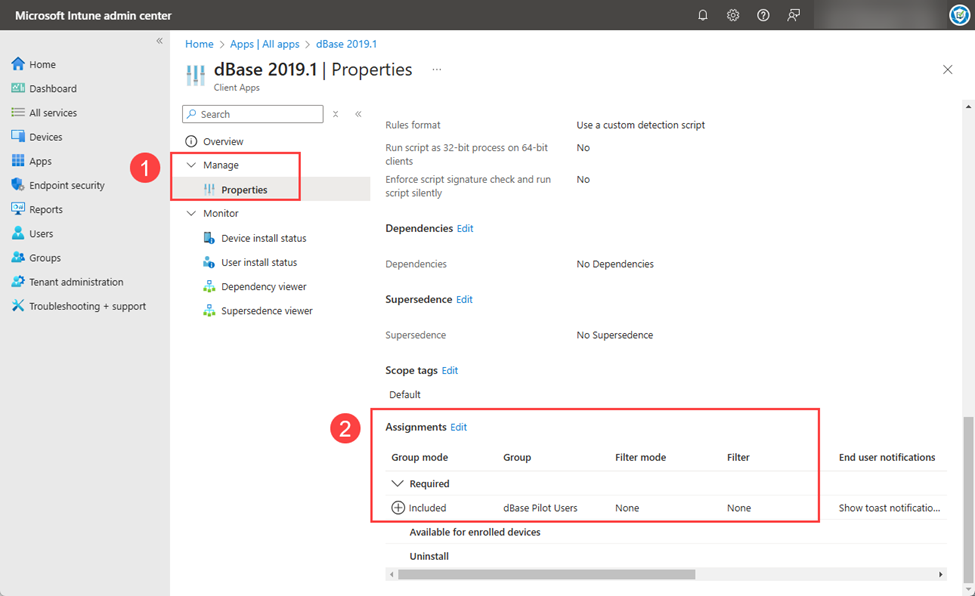
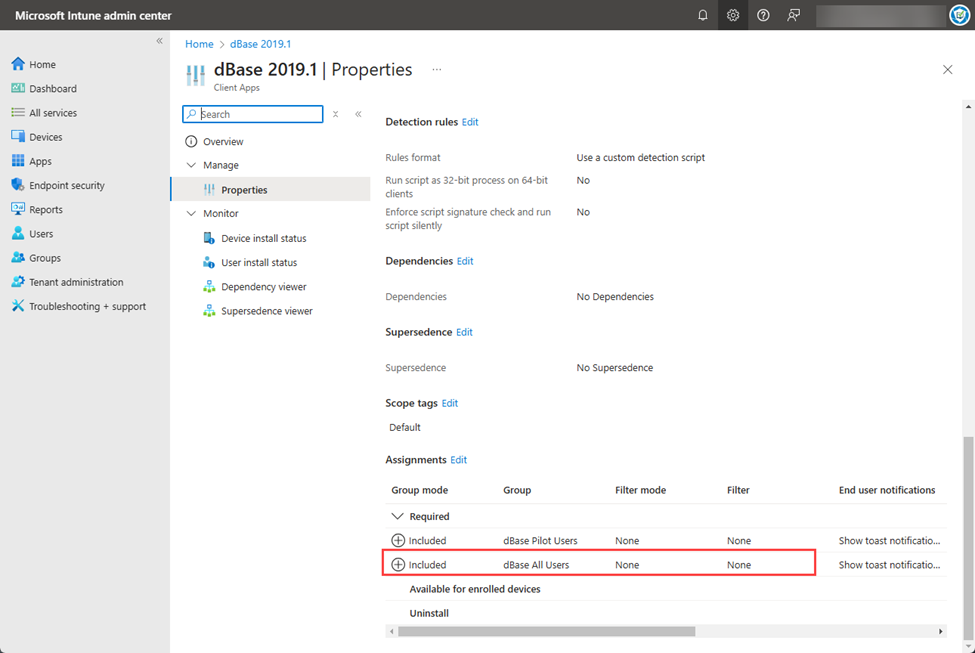
If you click the app and navigate to **Manage | Properties**, then scroll down to the **Assignments** section, as you are using delayed update rings you will only see the assignments for the first Update Ring has been created and applied to this version.
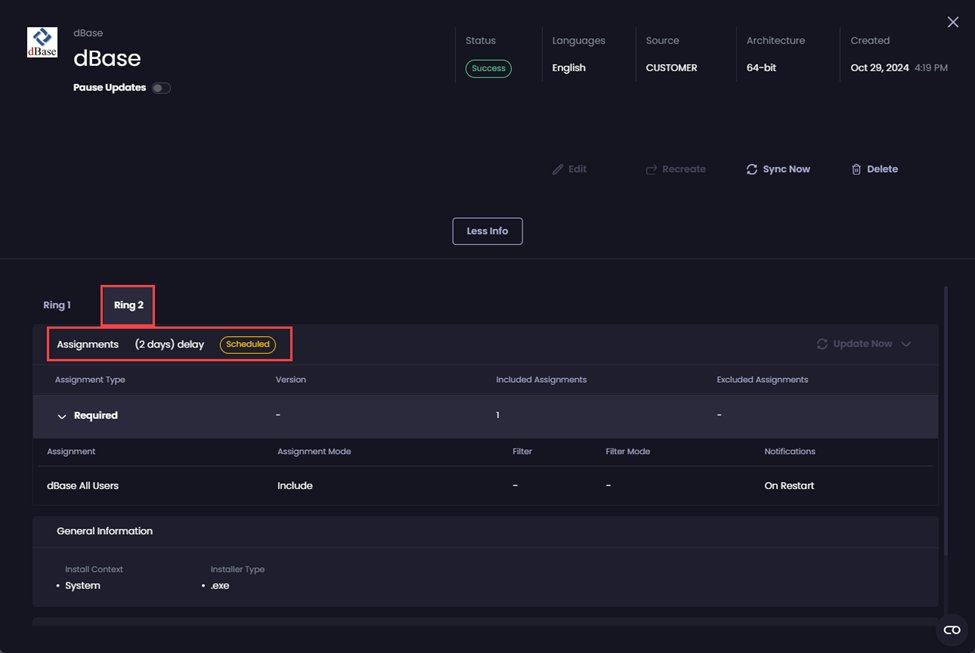
If you click on the deployment in the portal, then click **More Info**, then click **Ring 2**, you will see that this ring is scheduled to be created two days after the deployment was created.
Two days after the deployment was created and after the next Sync Schedule runs, the second update ring will be created and the assignment added for the **dBase All Users** group to install the software to all of the members of this group.
You can now edit the deployment if required, as all of the rings have been created.
If you also look at the deployment's properties, you will see that the second ring has been created successfully and assigned to the **dBase All Users** group.
As the following table shows, the software is installed immediately for any users in the **dBase Pilot Users** group.
Any users in the **dBase All Users** group will not have the software installed until two days later.
Day
Group
Software installed?
0
dBase Pilot Users dBase All Users
Yes No
1
dBase Pilot Users dBase All Users
Yes No
2
dBase Pilot Users dBase All Users
Yes Yes
### New Version Released
Now, let’s assume a new version (2019.2) gets released.
In this scenario, you can:
* Wait until the overnight sync runs to pick up the new version.
* Run the [Sync Now](/patch-my-pc-cloud/deployments/manage-deployments/updates/sync-now.md) process to update just this deployment immediately.
{% hint style="info" %}
**Note**
This is one of the many reasons why we recommend configuring your [Sync Schedule](/patch-my-pc-cloud/manage/settings/sync-schedule.md) to **Daily** if you are using Update Rings.
We also use the release date of the new version to validate if it is the right time to update the assignments to upgrade rings to later versions.
{% endhint %}
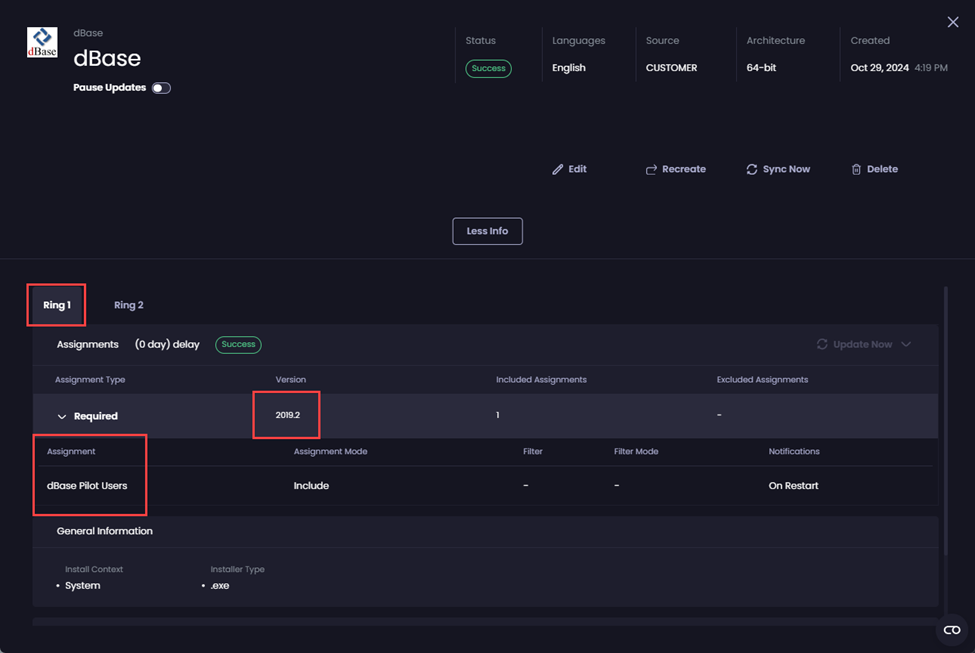
Once the deployment has been updated, you can now edit it as all of the rings have now been created. If you look at the deployment’s properties, you will see that for the **Ring 1**, version **2019.2** has now been assigned to the **dBase Pilot Users** group.
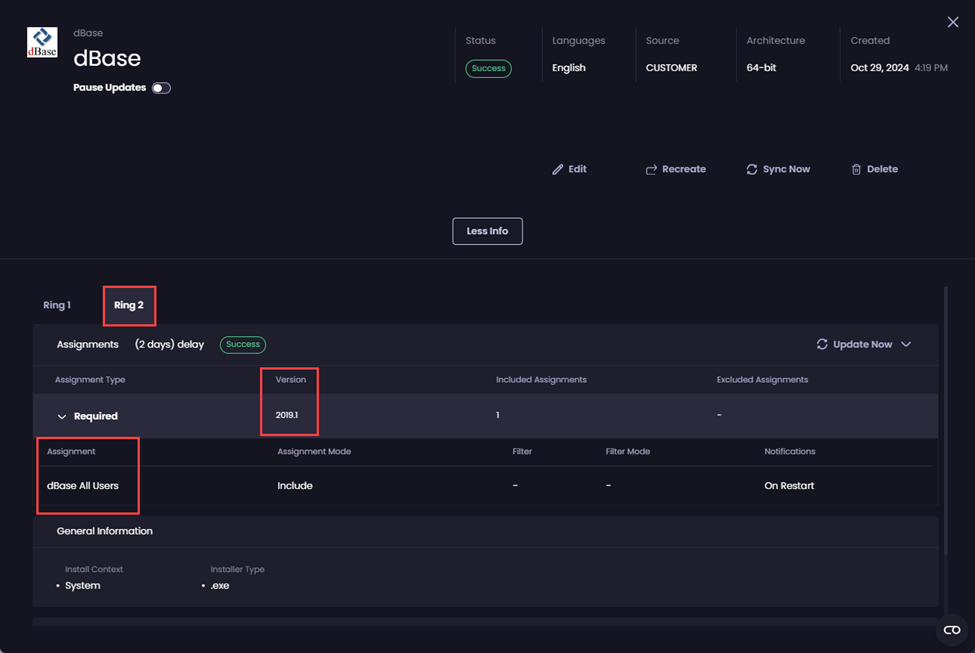
But if you click on **Ring 2**, you will see that version **2019.1** is still assigned to the **dBase All Users** group.
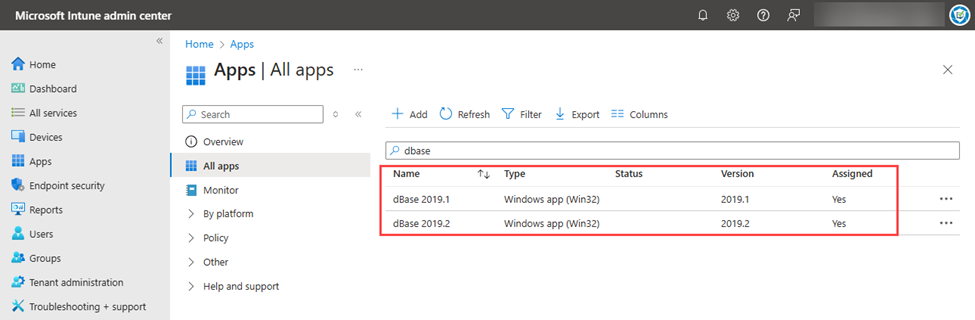
If you check in the Intune admin center, you will now see both the existing app (version 2019.1) and the new version we have just deployed (version 2019.2).
If you check the assignments for the original deployment (version 2019.1), you will see it is now only assigned to the **dBase All Users** group.
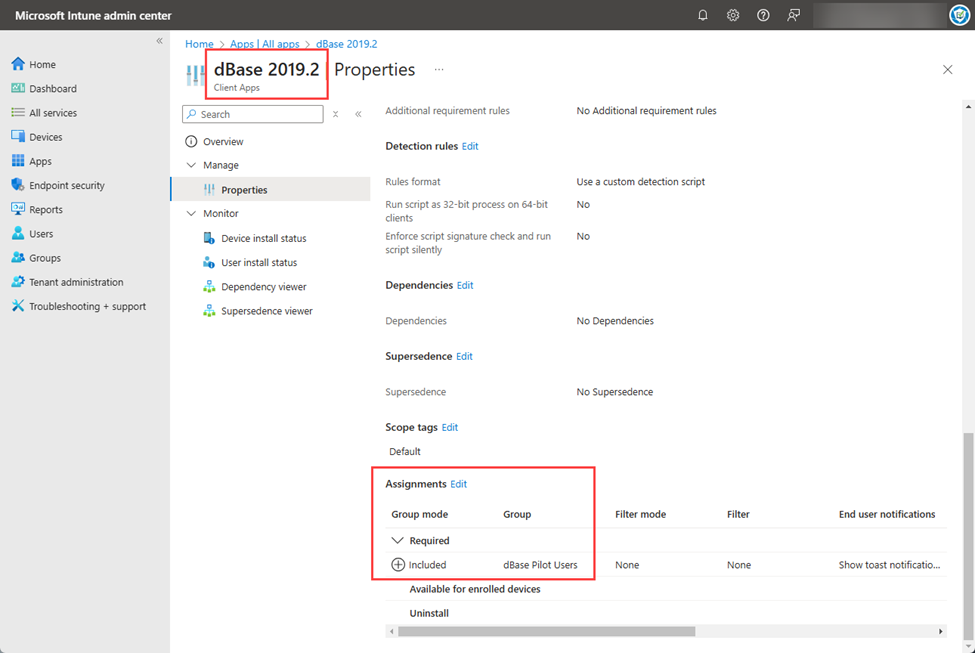
Whereas, if you check the assignments for the new deployment (version 2019.2), you will see it is only assigned for now to the **dBase Pilot Users** group.
Two days after the new version of the app is released and after the next Sync Schedule runs, the assignment for the **dBase All Users** group will be automatically moved from the version 2019.1 deployment to the 2019.2 deployment, automatically upgrading the members of the **dBase All Users** group to version 2019.2.
The old version of the app (2019.1), will remain, but will no longer show as **Yes** under the **Assigned** column in the Intune admin center. At the next sync, the old version of the app will be deleted.
This update process is summarized in the following table:
Day*
Group
Current version
Upgraded?
Installed version
0
dBase Pilot Users dBase All Users
2019.1 2019.1
Yes No
2019.2 2019.1
1
dBase Pilot Users dBase All Users
2019.2 2019.1
No** No
2019.2 2019.1
2
dBase Pilot Users dBase All Users
2019.2 2019.1
No** Yes
2019.2 2019.1
\* Number of days after the new version of the app is released
\*\* Any new users/devices added to the group will receive the version applicable to the group.
## How Immediate Update Rings Handle New Versions
For this example, we will assume you want to deploy version 2024.1 of PaintShop Pro:
* Initially to the **Corel Pilot Users** group.
* Two days later, you want to deploy the software to the **Corel All Users** group.
This is how you would configure this deployment in the PMPC Cloud portal to use **Immediate** Update Rings.
When you deploy the software, you see the **Deployment Summary** of how the deployment will be handled.
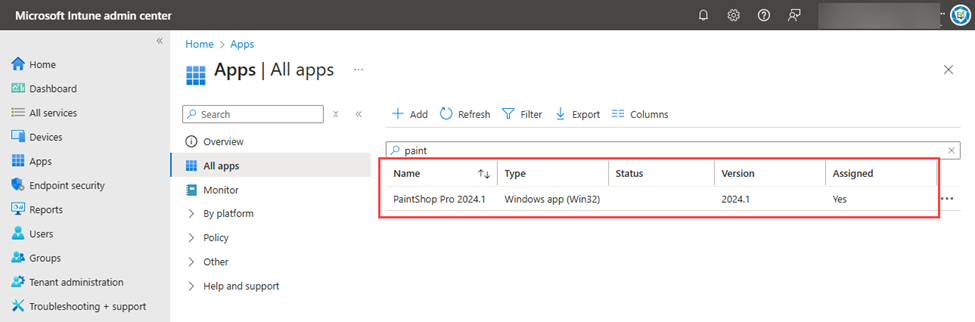
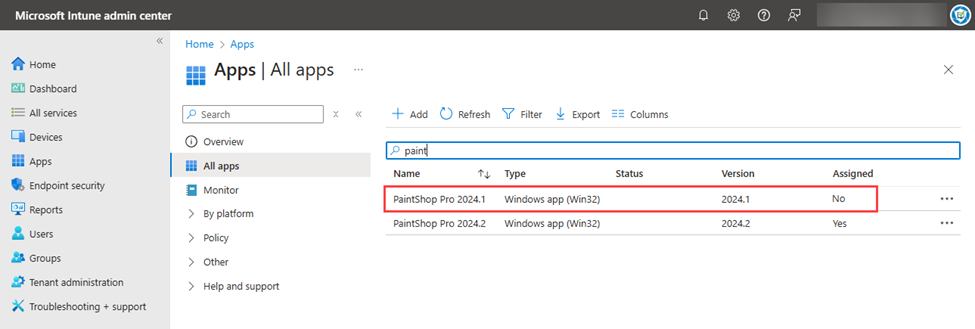
Once the deployment has completed successfully, if you look in the Microsoft Intune admin center under **All apps** and search for the app, you will see that version **2024.1** has been successfully deployed.
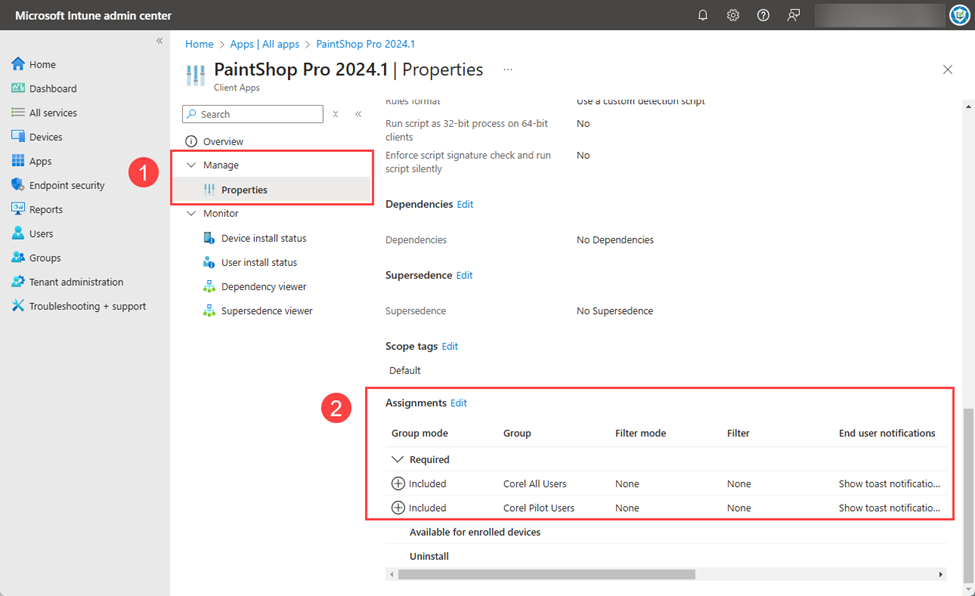
If you then click the app and navigate to **Manage | Properties**, then scroll down to the **Assignments** section, you will see all of the assignments for each of the Update Rings have been created and applied to this version.
As the following table shows, when using Immediate Rings, the software is installed immediately for any users in any of the groups assigned to any of the update rings.
| Day | Group | Software installed? |
| --- | ------------------------------------------- | ------------------- |
| 0 |
Corel Pilot Users Corel All Users
|
Yes Yes
|
| 1 |
Corel Pilot Users Corel All Users
|
Yes Yes
|
| 2 |
Corel Pilot Users Corel All Users
|
Yes Yes
|
It is only when a [new version](#new-version-released-1) of the targeted software gets released (current plus one or n+1), do the assignments from the previous version get moved to the latest version and Update Rings start to function as configured.
### New Version Released
Now, let’s assume a new version (2024.2) gets released.
In this scenario, you can:
* Wait until the overnight sync runs to pick up the new version.
* Run the [Sync Now](/patch-my-pc-cloud/deployments/manage-deployments/updates/sync-now.md) process to update just this deployment immediately.
{% hint style="info" %}
**Note**
This is one of the many reasons why we recommend configuring your [Sync Schedule](/patch-my-pc-cloud/manage/settings/sync-schedule.md) to **Daily** if you are using Update Rings.
We also use the release date of the new version to validate if it is the right time to update the assignments to upgrade rings to later versions.
{% endhint %}
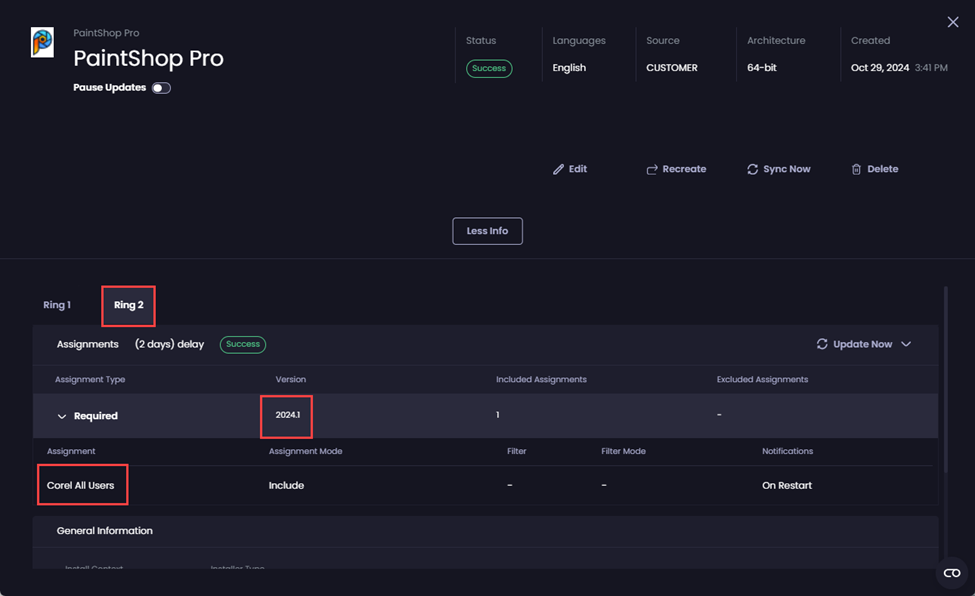
Once the deployment has been updated, if you look at its properties, you will see that for the **Ring 1**, version **2024.2** has now been assigned to the **Corel Pilot Users** group.
But if you click on **Ring 2**, you will see that version **2024.1** is still assigned to the **Corel All Users** group.
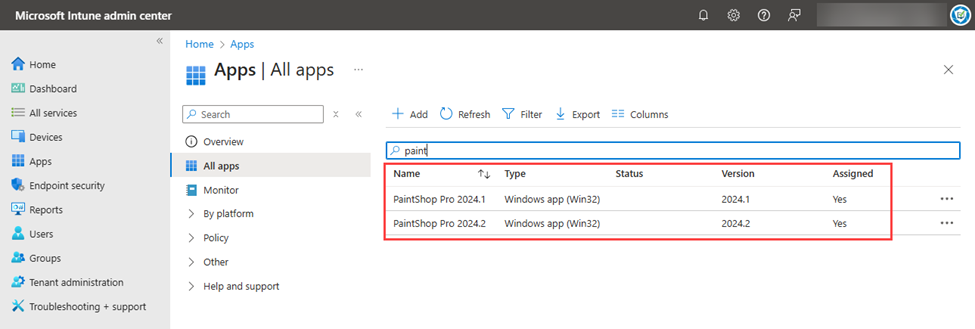
If you check in the Intune admin center, you will now see both the existing app (version 2024.1) and the new version we have just deployed (version 2024.2).
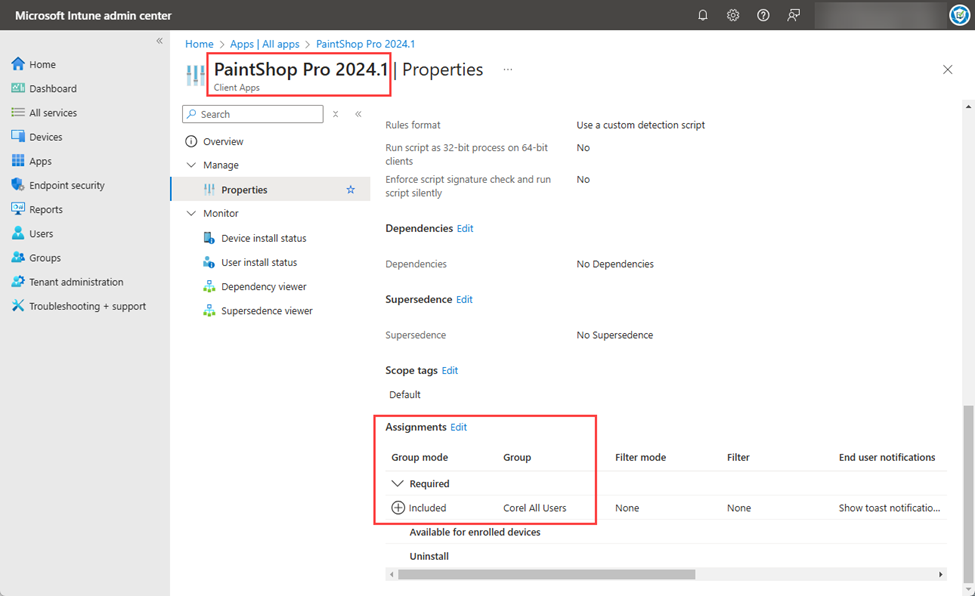
If you check the assignments for the original deployment (version 2024.1), you will see it is now only assigned to the **Corel All Users** group.
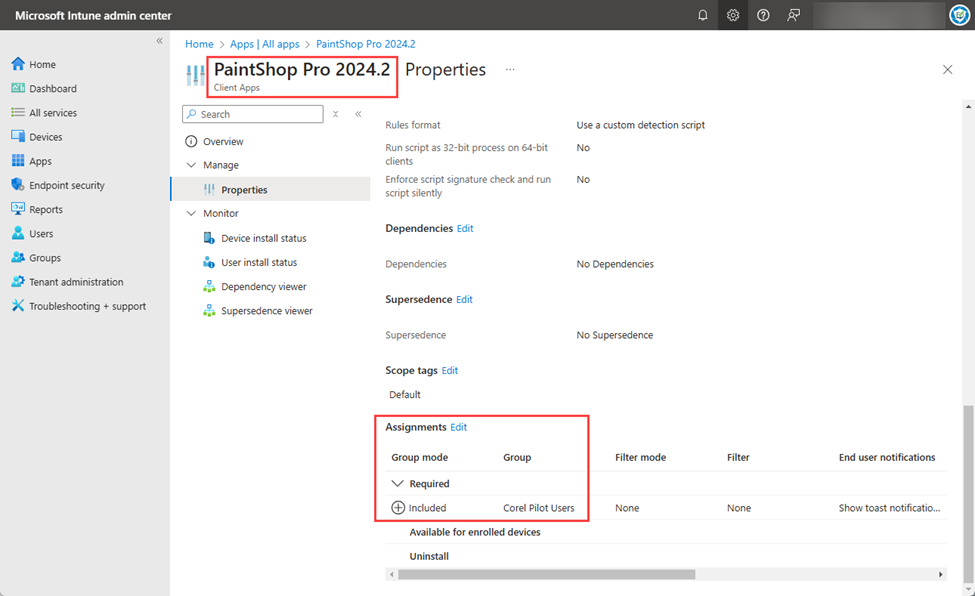
Whereas, if you check the assignments for the new deployment (version 2024.2), you will see it is only assigned for now to the **Corel Pilot Users** group.
Two days after the new version of the app is released, the assignment for the **Corel All Users** group will be automatically moved from the version 2024.1 deployment to the 2024.2 deployment, automatically upgrading the members of the **Corel All Users** group to version 2024.2.
The old version of the app (2024.1), will remain, but will no longer show as **Yes** under the **Assigned** column in the Intune admin center. At the next sync, the old version of the app will be deleted.
This update process is summarized in the following table:
Day*
Group
Current version
Upgraded?
Installed version
0
Corel Pilot Users Corel All Users
2024.1 2024.1
Yes No
2024.2 2024.1
1
Corel Pilot Users Corel All Users
2024.2 2024.1
No** No
2024.2 2024.1
2
Corel Pilot Users Corel All Users
2024.2 2024.1
No** Yes
2024.2 2024.2
\* Number of days after the new version of the app is released
\*\* Any new users/devices added to the group will receive the version applicable to the group.
---
# Agent Instructions
This documentation is published with GitBook. GitBook is the documentation platform designed so that both humans and AI agents can read, navigate, and reason over technical content effectively. Learn more at gitbook.com.
## Querying This Documentation
If you need additional information that is not directly available in this page, you can query the documentation by asking a question.
Perform an HTTP GET request on the following URL with the `ask` and `goal` query parameters:
```
GET https://docs.patchmypc.com/patch-my-pc-cloud/deployments/update-rings/new-versions.md?ask=&goal=
```
`ask` is the immediate question: it should be specific, self-contained, and written in natural language.
`goal` is what the user is ultimately trying to achieve, the reason they need the answer. Sharing it helps GitBook give you a better, more relevant answer. A goal is most helpful when it describes the outcome the user wants rather than restating the question. For example, with `ask=how do I create an API token`, a goal like `automate deployments from our CI pipeline` lets GitBook tailor the answer to that use case.
The response will contain a direct answer to the question and relevant excerpts and sources from the documentation.
Use this mechanism when the answer is not explicitly present in the current page, you need clarification or additional context, or you want to retrieve related documentation sections.